Posts

Showing posts with the label how-to's

how to quote someone | HOW-TO of the week

Image
A quotation is a reproduction of someone's exact words. Below are my personal guidelines for quoting others. These rules do not necessarily conform to any established style format such as MLA, APA, Chicago, or any other citation style. This is not meant to be a comprehensive guidebook for the use of quotation marks. It is mainly concerned with how to quote words that others have already stated (not quotations one might make up for their own writings). 1. original Try to reproduce the person’s words as the person originally wrote, published, or spoke them. It is often preferable to quote from works that were published during the author's lifetime. On the Internet, don't accept all quotes as accurate. Look for reliable websites to check whether the words were quoted correctly and whether the right author was cited. 2. spelling When quoting, keep original spellings. For example, this famous sonnet should be quoted as, "it is an euer fixed marke / That lookes on te...

how to upgrade to the new Gmail | HOW-TO of the week

Image
Google has made a new design available for the desktop version of Gmail. Here's how to activate it for your account. In your web browser, open Gmail and sign in if necessary. Click on the cog wheel icon in the upper right side of the screen, and select "Try the new Gmail" Choose your density preference. Enjoy the new design and features! And if you want to restore the old look, you can click on the cog wheel and select "Go back to classic Gmail" (I don't know how long this will be an option). "Gmail’s new look helps you get more done." Google

how to show dates in Google search results | HOW-TO of the week

Image
Sometimes, you might want to know the date of a webpage. This information can be hard to find, but there is a way to show the dates of webpages in Google search results. This feature can be especially helpful if you're trying to cite a website for a paper (using MLA, for instance) and can't find any dates listed on the site itself. To begin, go to Google and search for something. If you're trying to figure out the date of a specific webpage, type in a phrase you know will bring up that page. Here are my results for "Martha Snell Nicholson": Now, select the URL of the current Google search page. At the very end of that URL, type or paste the following: &as_qdr=y15 Load the new URL, and results should appear with their corresponding dates: " collect as much of the following information as possible both for your citations and for your research notes: . . . publishing date" Purdue Online Writing Lab (about MLA citation...

how to search a specific site | HOW-TO of the week

Image
Did you know you can use Google to search within one specific website of your choosing? This feature is helpful if you want to search a site that doesn't have a search bar of its own. To do this, go to the Google homepage and type in the phrase you want to search. Along with the phrase, type "site:", immediately followed by the link of the website. Even though this blog has a search bar, we'll use it as an example. To search Of the Week for "winslow homer," type this into the Google search bar: Google searches only this blog for the specified phrase, and here are the results: Another way to achieve the same result is to go to the Google Advanced Search page. Once there, type in the phrase you want to search in the top box, type in the website link in the box labeled "site or domain," and go. " Filter first for substance. Filter second for significance. . . .  Filter third for reliability. . . .  Filter fourth for c...

how to keep a record of sermons preached | HOW-TO of the week

Image
This video explains how to use Google Sheets to keep a record of sermons, Bible classes, devotionals, or presentations that you might give. Correction: The church is the people, not buildings. So if you're going to use the word LOCATION, it would be good to either refer to an actual location (e.g., a house, an address) or to say "the building where . . . church meets." Because I used the word LOCATION for the video, I should have put "the building where the Central Church of Christ meets" instead of "Central Church of Christ." "preach the word; be ready in season and out of season; reprove, rebuke, and exhort, with complete patience and teaching." 2 Timothy 4:2 ESV

how to upgrade your Mac to macOS Sierra | HOW-TO of the week

Image
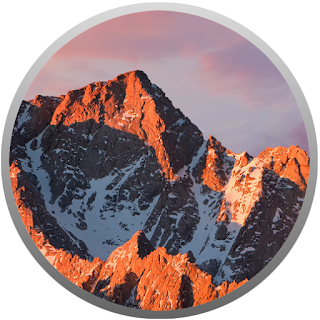
Apple released macOS Sierra for public download on September 20, 2016 (version 10.12 of the Mac operating system). macOS Sierra brings a variety of features to the Mac: Siri: Just ask. Universal Clipboard: Copy & paste between your iOS device and your Mac. Auto Unlock: Use your Apple Watch to automatically unlock your Mac. iCloud Drive: Have your Desktop and Document files automatically backed up to iCloud Drive. Apple Pay: Use Apple Pay in Safari (if you have an Apple Watch or iOS device with Touch ID). Optimized Storage: Find ways to free up storage space on your Mac. Photos: Photos compiles your photos into Memories and also lets you search your photos by what's in them. Messages: Messages is a little more spiced up. Tabs: Tabs aren't just for Safari and Finder anymore. Picture in Picture: Play a video from Safari on top of your other windows. Follow these steps to get macOS Sierra up and running on your Mac. 1. Make sure your Mac can run macOS Sierr...

how to set up Message+ on an iOS device | HOW-TO of the week

Image
Typing text messages on a flip phone takes longer than typing them on a smartphone or tablet. This how-to will show Verizon Wireless and Apple users how to send and receive text messages on your iOS device. For example, I have a flip phone, but I can see my text messages and reply to them on my iPod touch when it is connected to Wi-Fi. 1. Download Verizon's Message+ app from the App Store. 2. Open your web browser and go to your email contacts page. 3. Transfer every phone number from your flip phone contacts to your email contacts. 4. On your iOS device, open the Settings app and go to Mail, Contacts, Calendars.   Under ACCOUNTS, make sure your email account has been added and that Contacts is turned on. (You might have to turn Contacts off and turn it back on for it to reset to the changes you made in your web browser) 5. Open the Message+ app on your iOS device. 6. Allow the app to send you notifications. 7. Tap "Get Started" 8. Type in your Verizo...

how to make a 24-hour clock | HOW-TO of the week

Image
the original 12-hour clock 1. Find a clock, preferably a large one, that you don't mind taking apart. 2. Disassemble the clock, removing its movement, face, and hands. 3. Decide whether you want your 24-hour clock to have midnight on the top or bottom. 4. Find a 24-hour clock face online that fits with this decision or design your own face. 5. Measure the size of the old clock face and adjust your new one to approximately the same dimensions. the 24-hour clock face 6. Print your 24-hour clock face. I printed mine out at Walmart as a 16"x20" photo. 7. Cut it to size, if necessary. 8. Find a 24-hour clock movement. I ordered mine from Klockit.com. 9. Find hour and minute hands (and a second hand, if you want), paying attention to how long the hands need to be to fit the face. I ordered mine online from the same website: Klockit.com. 10. Assemble your clock, using the new face, new movement, new hands, and old clock frame. If you ordered the movemen...

how to set a table (mashurst style) | HOW-TO of the week

Image
supplies •  table •  chairs • tablecloth •  placemats •  plates •  napkins •  forks •  knives •  spoons •  glasses •  bowls •  food steps 1.  Cover the table with a  tablecloth. 2.  Put  placemats on the table at each seat. 3.  Put one  plate at the center of each placemat. 4.  Fold napkins rectangularly and place to the left of each plate, with the folded side of each napkin on the outside. 5.  Place the forks on top of the napkins. 6.  Place the knives to the right of the plates, with the sharp ends facing toward the plates. 7.  Place the spoons to the right of the knives, and make sure the forks, knives, and spoons are lined up along the bottom. 8.  Place glasses to the top-right of the plates, above the knives and spoons. 9.  Place the dessert bowls  in the center of the plates. 10.  Put the food on the ta...